
How a delivery works
What you'll carry, a typical day, and the steps on every drop.
Updated 29 Oct 2026
What types of items will I be delivering?
Tradeaze focuses on construction materials and trade supplies. Your loads will vary depending on your vehicle size, but typically include:
- Small Fixings: Boxes of screws, bolts, and hardware.
- Building Materials: Timber planks, metal piping, and sheet materials.
- Heavy Equipment: Pallets of concrete, bricks etc.
Please note
Because construction items are often bulky or heavy, you should be comfortable with manual handling and ensure your vehicle is equipped to transport and secure these goods safely.
A day in the life
- It is important that you clock into the Tradeaze app at the start of each day to receive notifications when a delivery is added to the job board (7am is best practice).
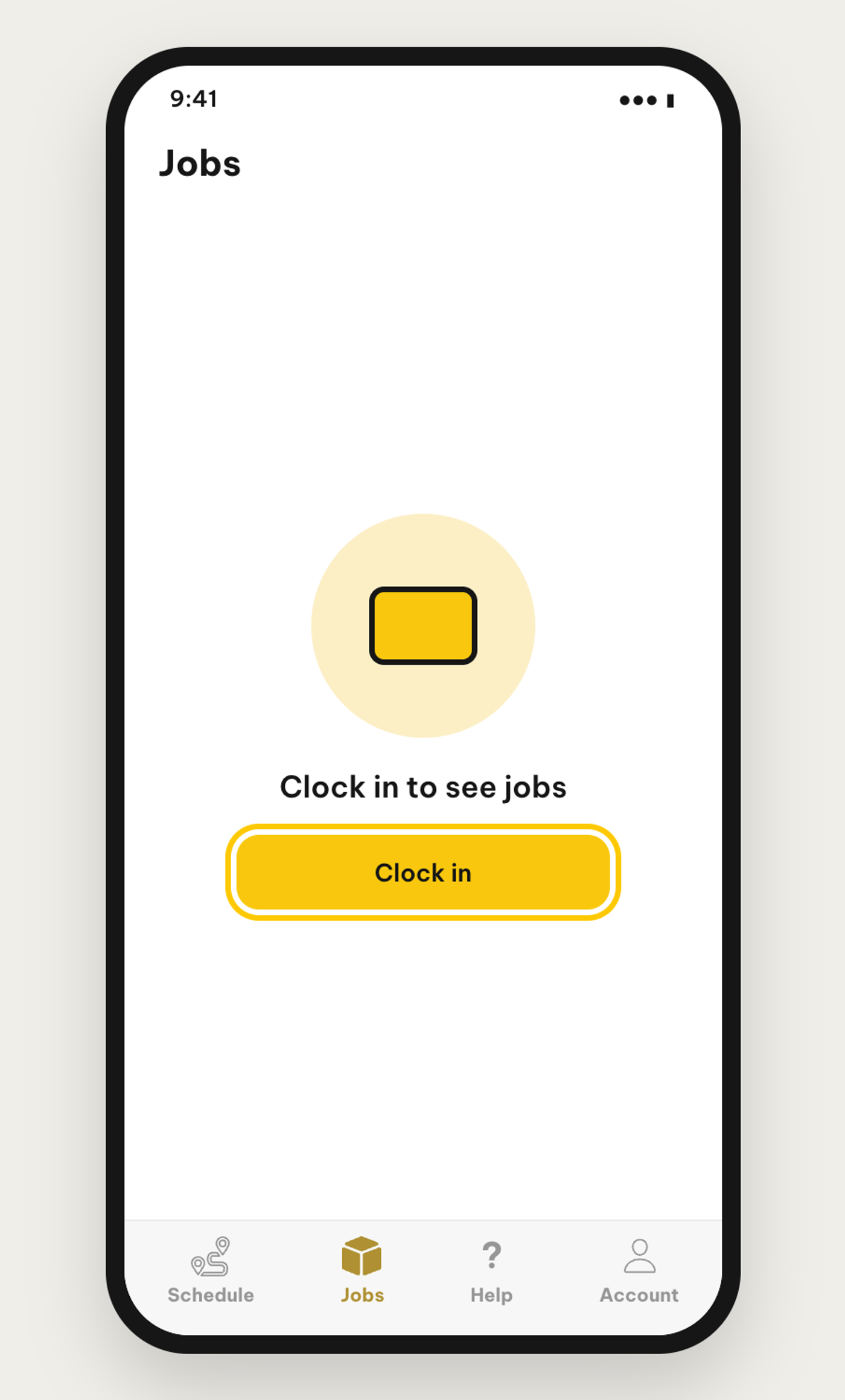
- The job board is the Jobs tab, second from the left in the bottom bar of the driver app, and is where you can find and claim any delivery you want to do. This is on-demand and first come first serve.
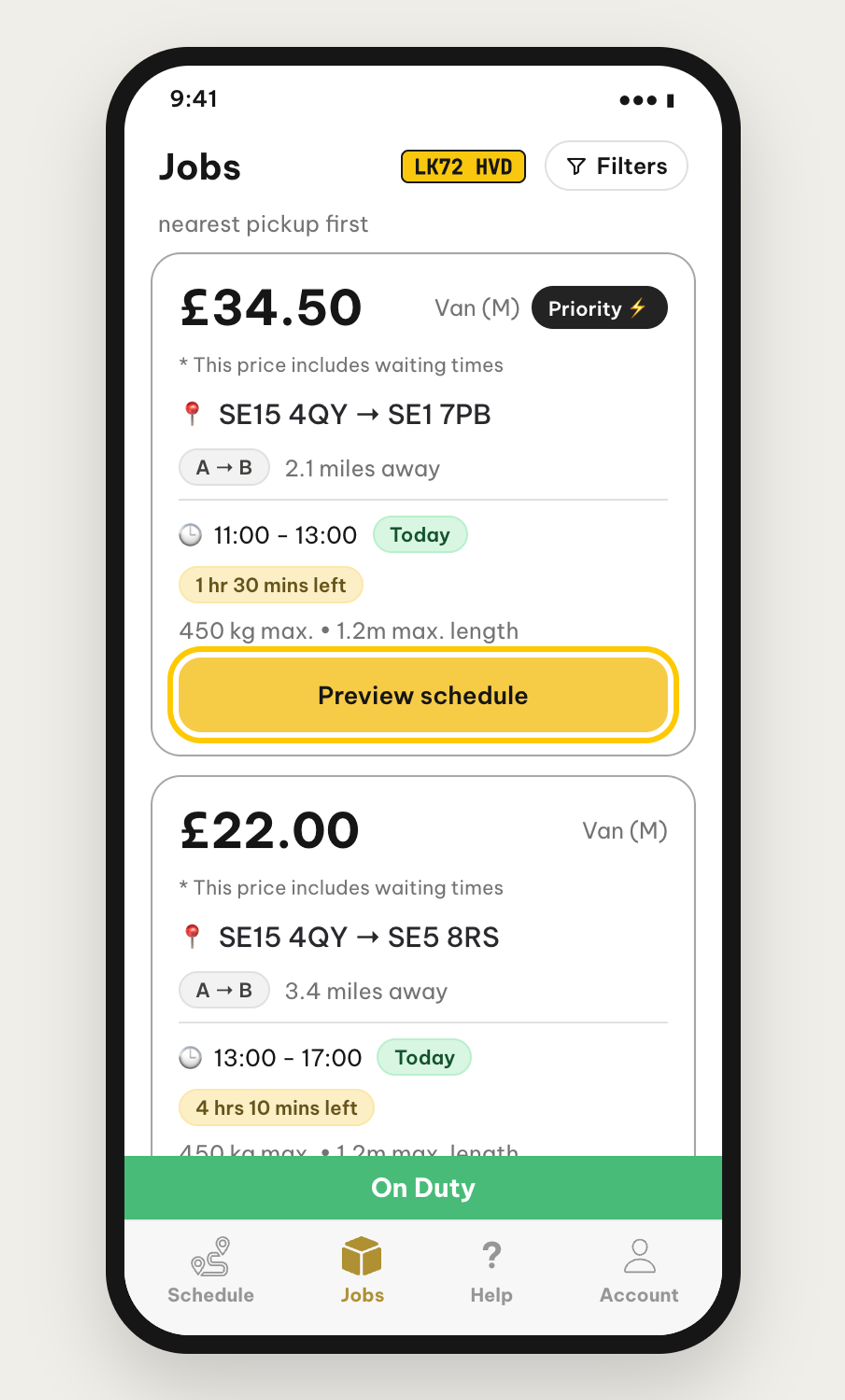
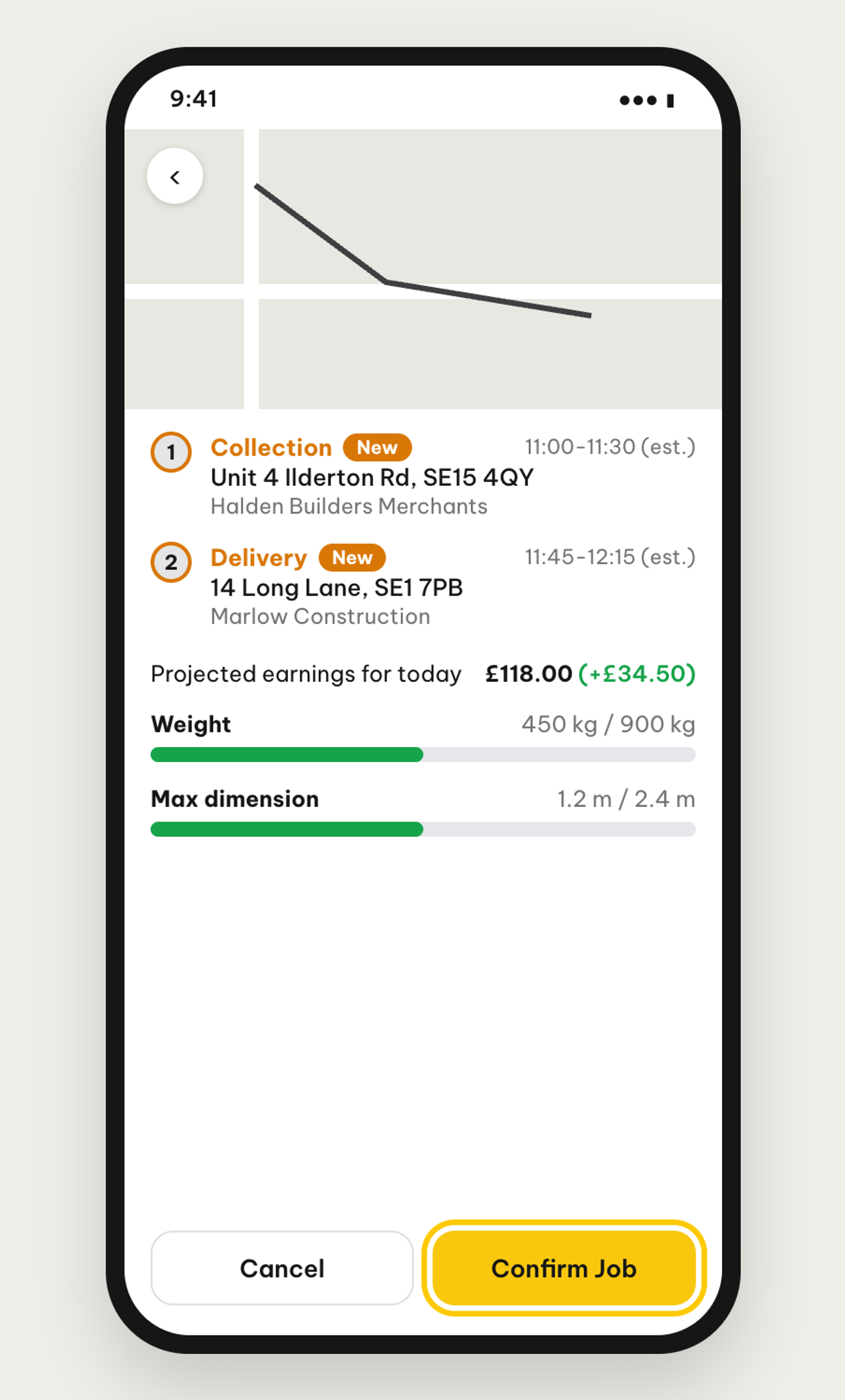
- Once you have claimed a delivery, whether it is a priority or a daytime, you should head straight to the collection point that shows on the app. The collection reference should be given to somebody at the desk who will prepare and give you the order.
- We ask that all of our drivers assist the merchant/customer with both the loading and unloading of goods 🙂
- If the stop asks for a Proof of Collection, complete it, then mark the collection off on the app and you will receive the full delivery address for the items to be taken to.
- Once completing the delivery, mark the item off with the Proof of Delivery and Signature and keep checking in to claim your next delivery.
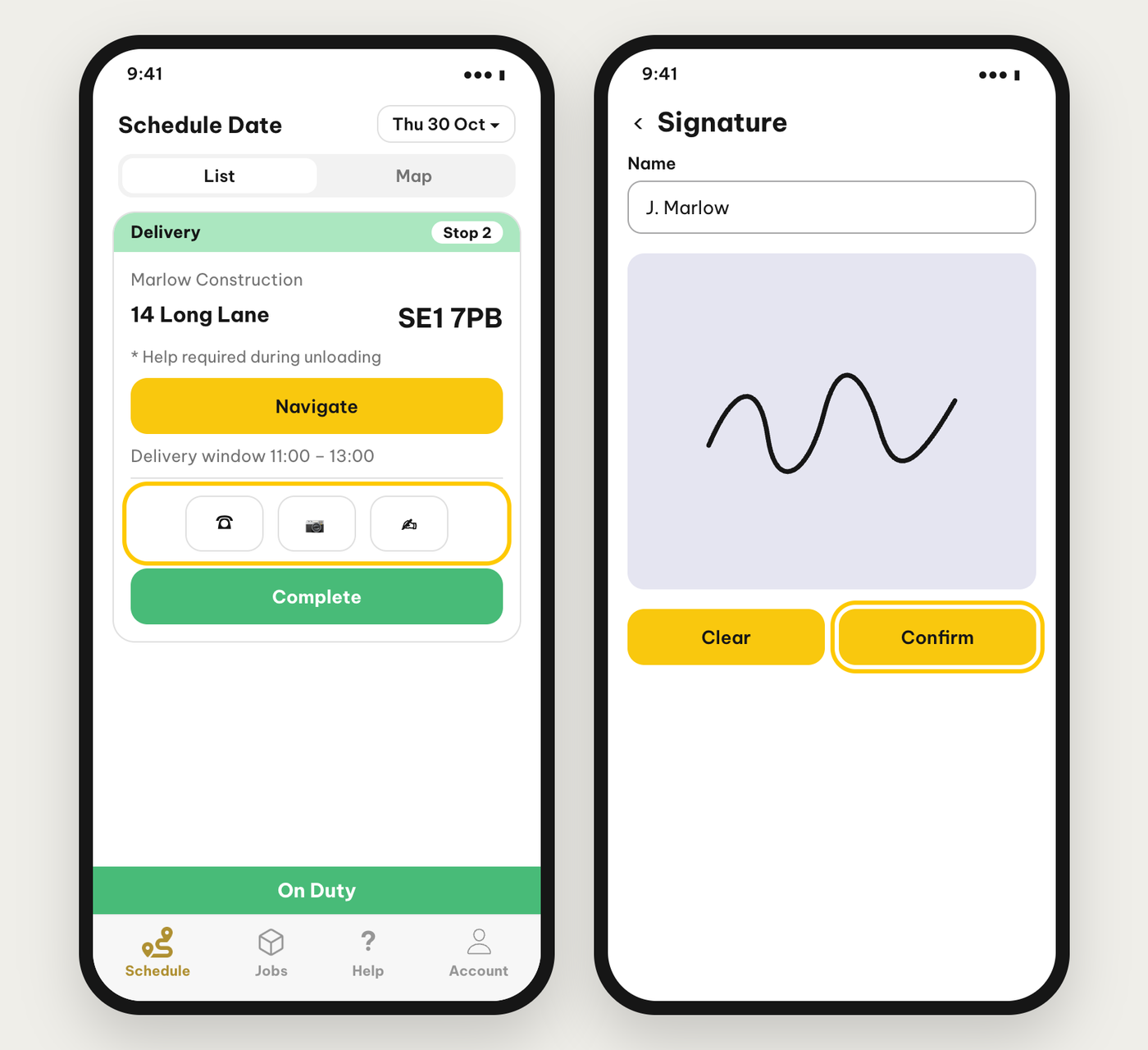
- Remember – a Proof of Collection & Delivery is essential when dropping off the items to make sure we are covered if anything is damaged or goes missing.
Delivery process/instructions
- Call the customer once you have been loaded to give them an ETA.
- Call 10 minutes before arriving at the destination to confirm parking details (if they don’t answer, please try again 5 minutes before)
- If there's no answer, please call again upon arrival.
- If still no response, find a suitable place to park and knock on the door.
- If no suitable parking is available or there is no answer at the door, call again after 5 minutes.
- If there's still no response, please contact the Tradeaze operator via the in app chat.