
Logins and your team
Invite colleagues, reset a password, and what to do when someone leaves.
Updated 29 Oct 2026
Give everyone their own login
We recommend each person who books has their own login, rather than one shared counter account. Everyone fills in their own name in Booked By, and nobody gets locked out when a password changes.
Invite a colleague
- Go to Settings and open your booking account.
- Open the Users tab and find Account Access.
- Enter one or more email addresses and choose Send invite.
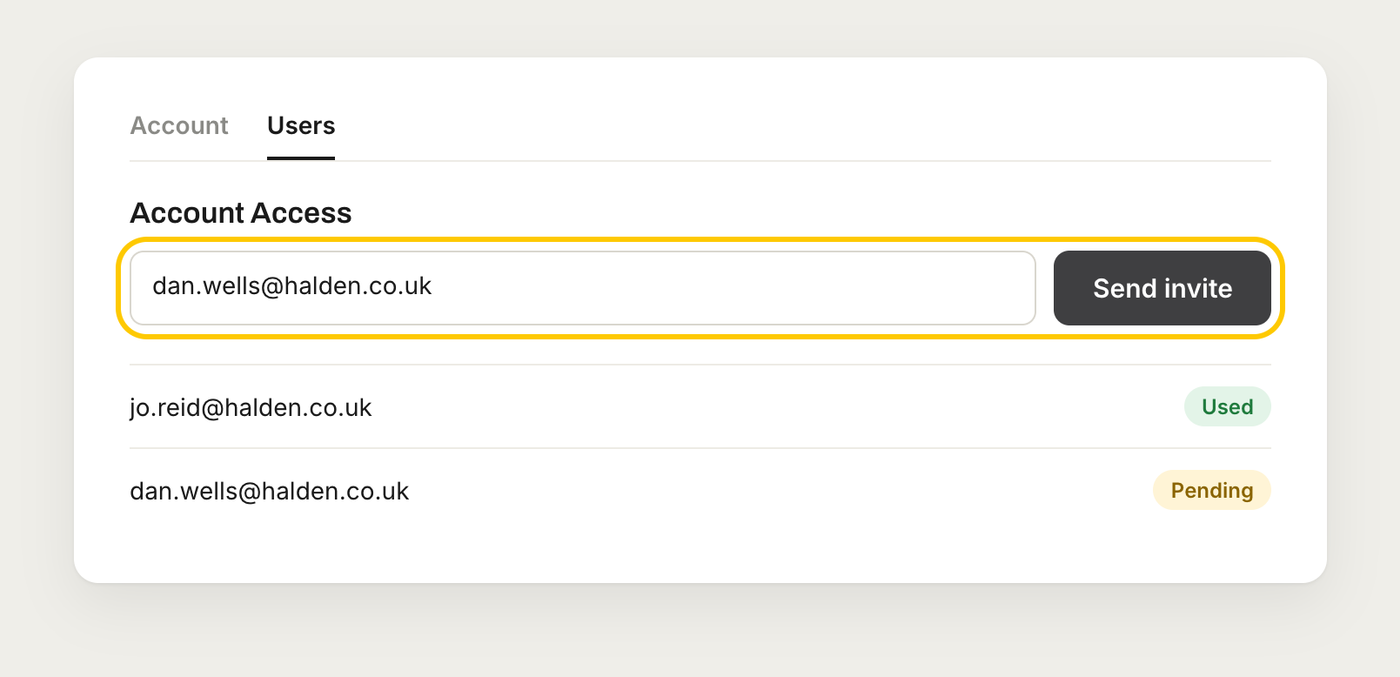
Your colleague gets an email to Join your account. They can sign up from it, or sign in if they already have a login. Invites last 14 days. You can see whether each one is pending or used, and copy the invite link to send it yourself.
Everyone on your booking account can create, edit, cancel and duplicate orders.
Forgotten password
Choose Forgot password on the sign-in page and we'll email you a code to set a new one.
When someone leaves
They can choose Leave booking account on your booking account's page before they go. It isn't available if they're the only user on the account. If they've already left, or you need a login moved to someone else, chat with us and we'll do it for you.