
Tracking your delivery
Where to see your driver, the ETA, and what your customer receives.
Updated 29 Oct 2026
On the order page
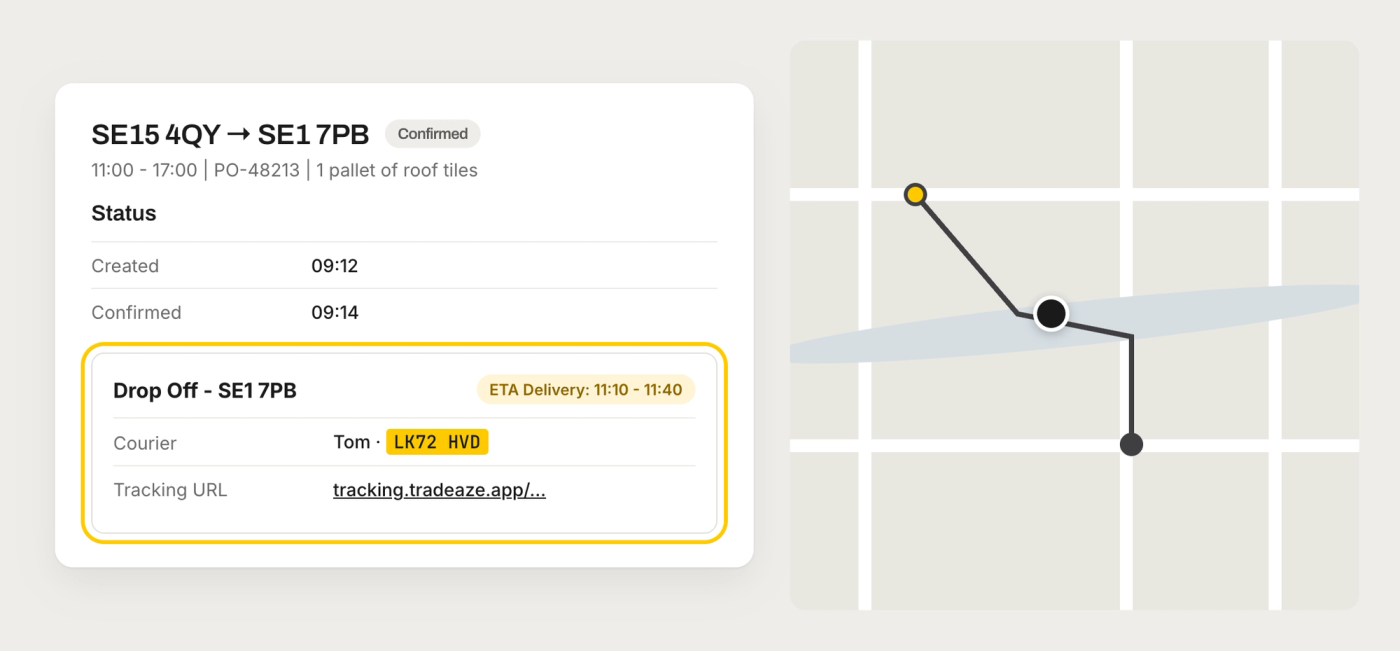
Open the order in the booking app to see:
- Status: when it was created, confirmed and delivered
- A live map of the driver once they're on the way (on the day of delivery)
- An ETA for the driver's next stop (for Day deliveries, once the goods are collected)
- The driver's name, the vehicle registration and the tracking link in the stop details
Delivery window and ETA
- The delivery window is the time range the delivery is booked to arrive in. It's set by the option you chose, for example Day or Evening.
- The ETA is our live estimate on the day: a 30-minute window for when the driver should reach their next stop. ETAs are only shown on the day of delivery.
What your customer receives
If you switched on Send site contact SMS updates? for the site contact, they get:
- A text when the order is collected, with the ETA and a live tracking link
- A text when the driver is nearby, so they're ready to unload
The tracking link shows the driver's position, the delivery window and the ETA, with no login needed.
Proof of delivery
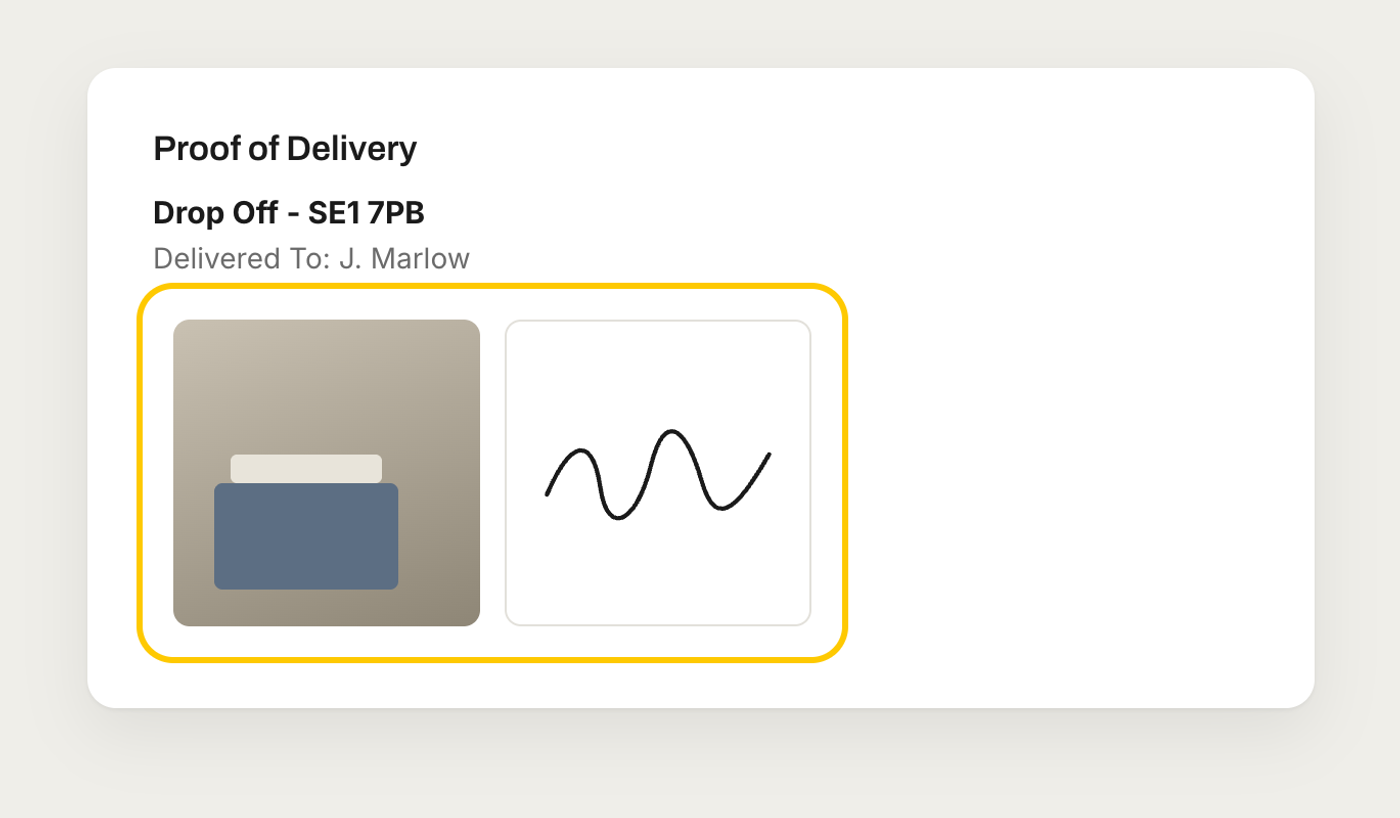
Every drop is photographed and signed for. Once it's delivered, the Proof of Delivery section on the order shows who signed and the photos. Keep it for your records or send it to your customer.
Something not right?
If an ETA looks stuck or the driver hasn't arrived in the window, chat with us with the PO number (or a link to the order) and we'll check with the driver.